

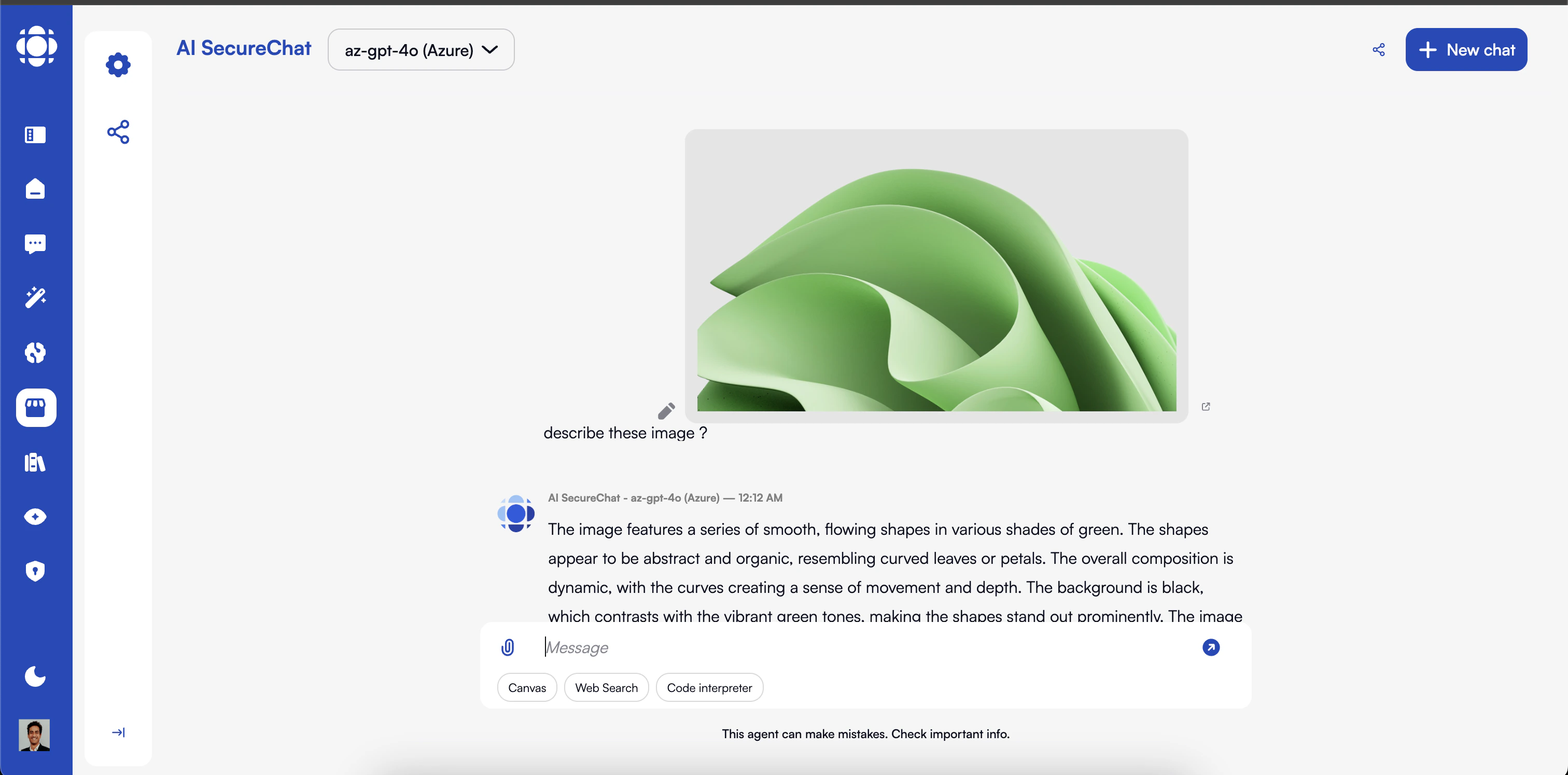
Understanding Multimodal AI
- What is Multimodal AI?
- Supported Modalities
- Model Requirements
Multimodal AI can process and understand multiple types of information (modalities), including:
- Text (natural language)
- Images and video
- Audio and speech
- Charts and diagrams
- Structured data
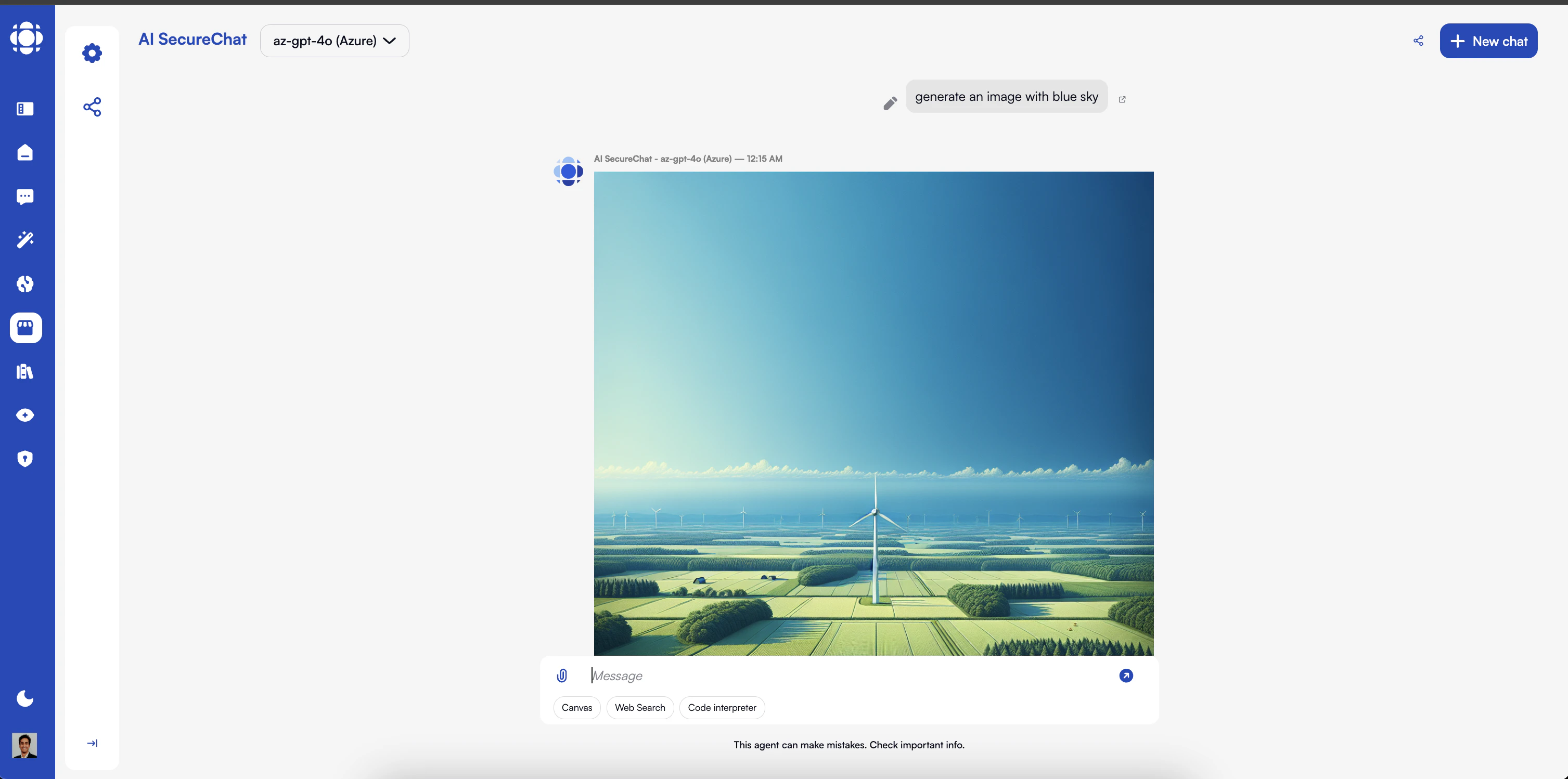
Working with Images
Uploading Images
1
Access image upload
Click the upload button (📎) in the message input area and select an image, or drag and drop an image directly into the chat.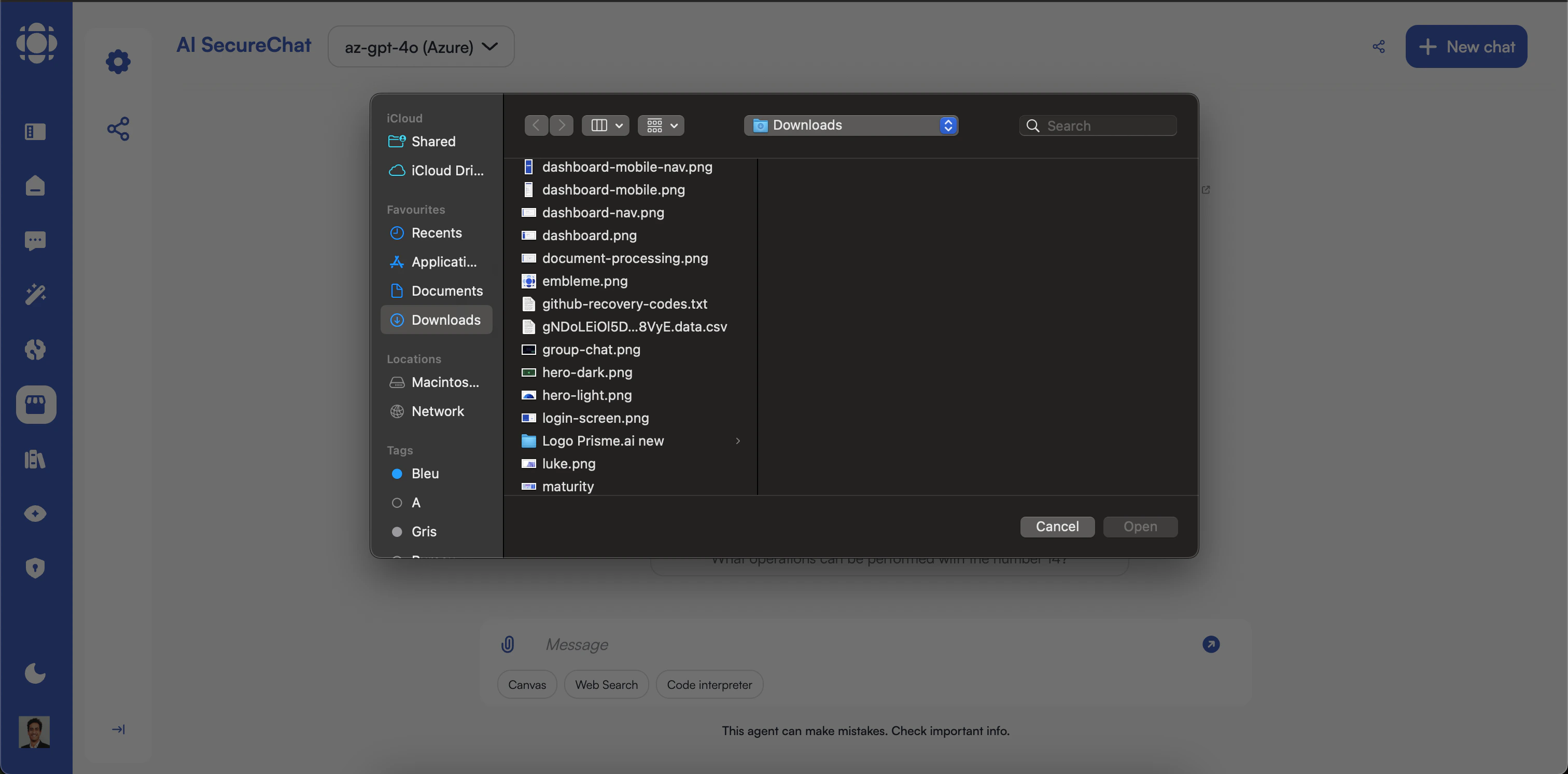
- PNG
- JPEG/JPG
- GIF (static)
- WebP
- BMP
- SVG (as an image; code parsing may be limited)
2
Add context (optional)
After uploading an image, you can provide additional context or specific questions about the image.Providing context can help guide the AI’s analysis and generate more relevant responses.
3
Submit for analysis
Send your message with the image to have the AI process and analyze it.The AI will acknowledge the image and provide an initial response based on its content.
Types of Image Analysis
General Image Description
Get a comprehensive description of what’s in an image
Text Extraction (OCR)
Extract and process text visible in images
Chart and Graph Analysis
Interpret data visualizations and extract insights
Technical Diagram Interpretation
Understand flowcharts, network diagrams, and technical illustrations
Document Analysis
Process documents that contain both text and visual elements
UI/UX Analysis
Evaluate screenshots of user interfaces
Content Categorization
Identify the type and category of visual content
Object and Entity Recognition
Identify specific objects and entities within images
Example Prompts for Image Analysis
Advanced Image Interactions
Reference Specific Parts of Images
Reference Specific Parts of Images
Direct the AI’s attention to particular areas or elements:Example prompts:For best results, describe the location clearly when referring to specific parts of an image.
Compare Multiple Images
Compare Multiple Images
Upload several images to analyze similarities, differences, or relationships:Example prompts:You can reference images by their order (“first image,” “second image”) or by describing their distinctive features.
Sequential Image Analysis
Sequential Image Analysis
Build on previous image analysis in a conversation:Example conversation flow:The AI maintains context from previous images throughout the conversation.
Specific Use Cases
Text Extraction (OCR)
Extract and work with text from images: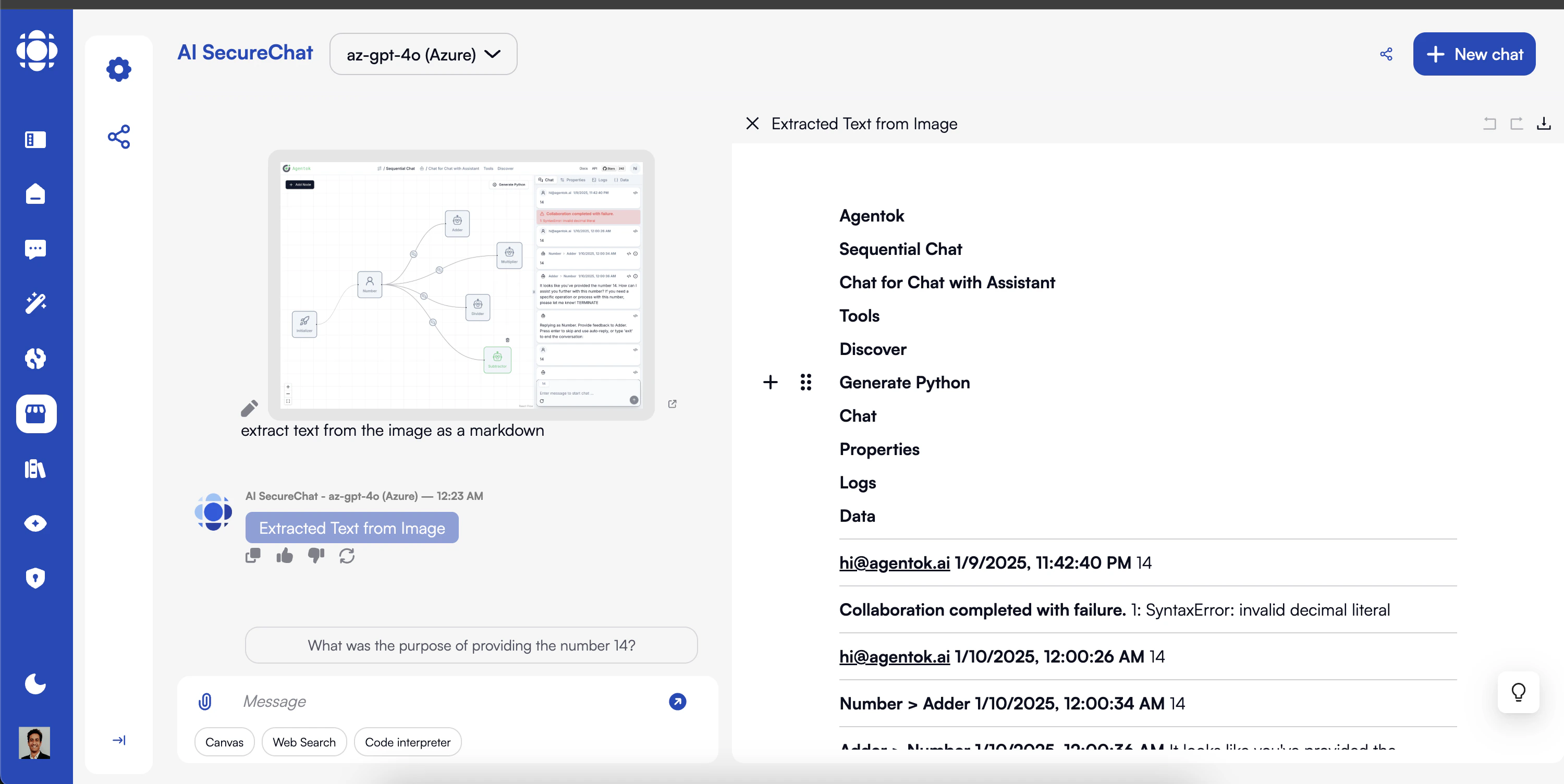
1
Upload an image containing text
This can include:
- Scanned documents
- Photos of printed materials
- Screenshots with text
- Whiteboards and handwritten notes (with limitations)
2
Request text extraction
Ask the AI to extract the text with prompts like:
3
Work with the extracted text
Once the text is extracted, you can ask the AI to:
- Summarize the content
- Answer questions about the text
- Format or structure the information
- Translate the extracted text
- Find specific information within it
OCR performance varies based on:
- Text clarity and image quality
- Font type and size
- Background contrast
- Image resolution
Chart and Graph Analysis
Get insights from data visualizations:1
Upload a chart or graph
Support for various chart types:
- Bar charts and histograms
- Line graphs
- Pie and donut charts
- Scatter plots
- Area charts
- Combined visualizations
2
Ask for analysis
Request insights with prompts like:
3
Explore specific aspects
Dive deeper with follow-up questions:
Technical Diagram Interpretation
Understand complex visual information:1
Upload a technical diagram
Works with various diagram types:
- Flowcharts and process diagrams
- Network and system architectures
- UML diagrams
- Circuit diagrams
- Engineering schematics
- Entity-relationship diagrams
2
Request explanation
Get comprehensive interpretations with prompts like:
3
Ask for specific details
Focus on particular elements:
UI/UX Analysis
Evaluate and improve user interfaces:1
Upload UI screenshots
Analyze various UI elements:
- Website pages
- Mobile app screens
- Software interfaces
- Design mockups
- Forms and interactive elements
2
Request design analysis
Get UX insights with prompts like:
3
Focus on specific aspects
Target particular design elements:
Working with Audio
AI SecureChat can also process audio content with compatible multimodal models:Uploading Audio
1
Access audio upload
Click the upload button (📎) in the message input area and select an audio file, or drag and drop directly into the chat.Supported audio formats typically include:
- MP3
- WAV
- M4A
- OGG
- FLAC
2
Add context (optional)
Provide additional information about the audio to guide the AI’s analysis:
3
Submit for processing
Send your message with the audio file to have the AI process it.The AI will acknowledge the audio and provide a response based on its content.
Audio Analysis Capabilities
Transcription
Convert spoken content to written text
Meeting Summarization
Extract key points and action items from recordings
Translation
Transcribe and translate audio to different languages
Speaker Identification
Distinguish between different speakers (with limitations)
Content Analysis
Identify topics, themes, and sentiments in spoken content
Q&A on Audio Content
Answer questions based on information in the audio
Example Prompts for Audio Analysis
Try these prompts after uploading an audio file: Transcribe this audio recording. Summarize the key points from this meeting. What action items were mentioned in this recording? Translate this speech to French. Identify the main topics discussed in this conversation. Create a timeline of events mentioned in this recording. What was the sentiment of the speakers in this discussion? Extract all the numbers and statistics mentioned. CopyAudio Transcription and Processing
- Basic Transcription
- Meeting Summarization
- Content Analysis
Convert speech to text with various options:
- Verbatim transcription (including filler words, pauses)
- Clean transcription (removing stutters, false starts)
- Timestamped transcription
- Speaker-attributed transcription (where possible)
Audio Generation
Some multimodal models may offer limited audio generation capabilities:Audio generation features:
- Are typically more limited than image generation
- May only be available with specific models
- Often have restrictions on duration and complexity
- May be in experimental phases depending on your organization’s Prisme.ai version
Best Practices for Multimodal Work
Use High-Quality Media
Provide clear, well-lit images and clean audio recordings for best results.
Be Specific in Prompts
Clearly describe what aspects of the media you want the AI to focus on.
Combine Modalities Strategically
Use multiple media types together when they complement each other.
Verify Critical Information
Double-check important details extracted from images or audio.
Consider Privacy and Sensitivity
Be mindful of sensitive content in uploaded media, especially with faces or personal information.
Use Canvas for Complex Work
Leverage Canvas for more sophisticated editing and organization of multimodal content.
Save Intermediate Results
Export or save important outputs, especially for large media files that may be processed again.
Provide Context
Add explanatory text when uploading media to guide the AI’s understanding.
Troubleshooting Multimodal Issues
Image not being processed
Image not being processed
If the AI doesn’t properly analyze your image:
- Check that you’re using a multimodal-capable model
- Verify the image format is supported
- Ensure the image isn’t too large (try compressing)
- Check that the image uploaded completely
- Try describing what’s in the image as context
- For complex images, try focusing on specific parts
Poor image analysis quality
Poor image analysis quality
If image analysis results are inaccurate or vague:
- Improve image quality (resolution, lighting, focus)
- Try a different multimodal model if available
- Be more specific in your prompts
- For text extraction, ensure text is clear and readable
- For charts, make sure data points and labels are visible
- Try cropping the image to focus on the relevant part
Audio processing issues
Audio processing issues
If audio isn’t being transcribed correctly:
- Check audio quality and reduce background noise if possible
- Verify the audio format is supported
- Try shorter audio segments for complex recordings
- Provide context about speakers, topic, or terminology
- For non-English audio, specify the language
- Try a model specifically optimized for audio if available
Image generation not working
Image generation not working
If you can’t generate images or results are poor:
- Verify your model supports image generation
- Check if generation features are enabled in your instance
- Be more specific and detailed in your description
- Break complex images into simpler requests
- Try different styles or approaches
- Be aware of content policy restrictions
Privacy and Security Considerations
Prisme.ai implements several security measures for multimodal content:Next Steps
Now that you understand the multimodal capabilities in AI SecureChat, explore these related features:Document Handling
Work with complex documents containing text and images
Canvas
Create rich content incorporating visual elements
Conversation Management
Organize conversations with multimodal content