> ## Documentation Index
> Fetch the complete documentation index at: https://prismeai-legacy.mintlify.site/llms.txt
> Use this file to discover all available pages before exploring further.
# Overview
> Discover AI Store, the marketplace for creating, sharing, and deploying specialized AI agents
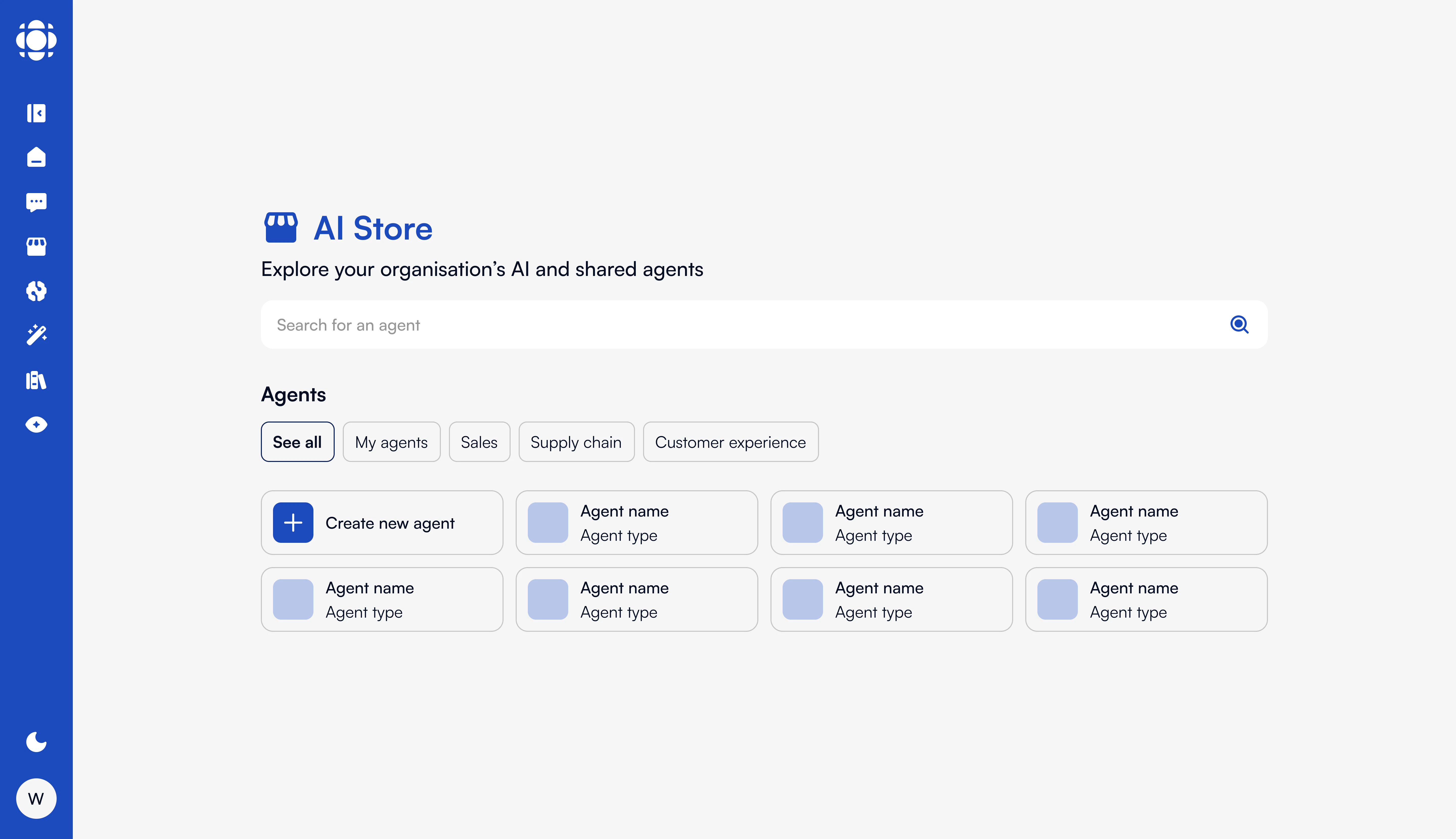 AI Store is Prisme.ai's enterprise marketplace for specialized AI agents. It enables organizations to create, share, and deploy purpose-built AI solutions that address specific business needs. From simple chatbots to complex multi-agent systems, AI Store helps you manage your organization's AI ecosystem in one central location.
## Key Features
Browse and search for agents across your organization
Build specialized agents with no-code tools, if creation rights are granted by the administrator
Tailor existing agents to specific needs
Control how and where agents are deployed
## Who Uses AI Store?
AI Store supports multiple roles across the organization:
All employees use AI Store to:
* Discover and use specialized agents for their work
* Provide feedback on agent performance
* Request new agent capabilities
* Share useful agents with colleagues
Business users and subject matter experts use AI Store to:
* Create specialized agents for their domains
* Customize existing agents for specific use cases
* Publish and share agents with their teams
* Gather feedback and improve agents
Technical teams use AI Store to:
* Build advanced agents with rich integrations
* Publish and share agents across the organization
IT and governance teams use AI Store to:
* Manage agents centrally via the Store
* Track organization-wide agent usage
* Enforce compliance and security standards
* Prevent shadow AI practices
## Core Capabilities
### Agent Catalog
The AI Store catalog provides a centralized location to discover and access agents:
* Categorized listings
* Search and filter functionality
* Featured and recommended agents
* Descriptions with capabilities and usage details
### Agent Creation
Build specialized agents aligned with your organization's needs:
AI Store is Prisme.ai's enterprise marketplace for specialized AI agents. It enables organizations to create, share, and deploy purpose-built AI solutions that address specific business needs. From simple chatbots to complex multi-agent systems, AI Store helps you manage your organization's AI ecosystem in one central location.
## Key Features
Browse and search for agents across your organization
Build specialized agents with no-code tools, if creation rights are granted by the administrator
Tailor existing agents to specific needs
Control how and where agents are deployed
## Who Uses AI Store?
AI Store supports multiple roles across the organization:
All employees use AI Store to:
* Discover and use specialized agents for their work
* Provide feedback on agent performance
* Request new agent capabilities
* Share useful agents with colleagues
Business users and subject matter experts use AI Store to:
* Create specialized agents for their domains
* Customize existing agents for specific use cases
* Publish and share agents with their teams
* Gather feedback and improve agents
Technical teams use AI Store to:
* Build advanced agents with rich integrations
* Publish and share agents across the organization
IT and governance teams use AI Store to:
* Manage agents centrally via the Store
* Track organization-wide agent usage
* Enforce compliance and security standards
* Prevent shadow AI practices
## Core Capabilities
### Agent Catalog
The AI Store catalog provides a centralized location to discover and access agents:
* Categorized listings
* Search and filter functionality
* Featured and recommended agents
* Descriptions with capabilities and usage details
### Agent Creation
Build specialized agents aligned with your organization's needs:
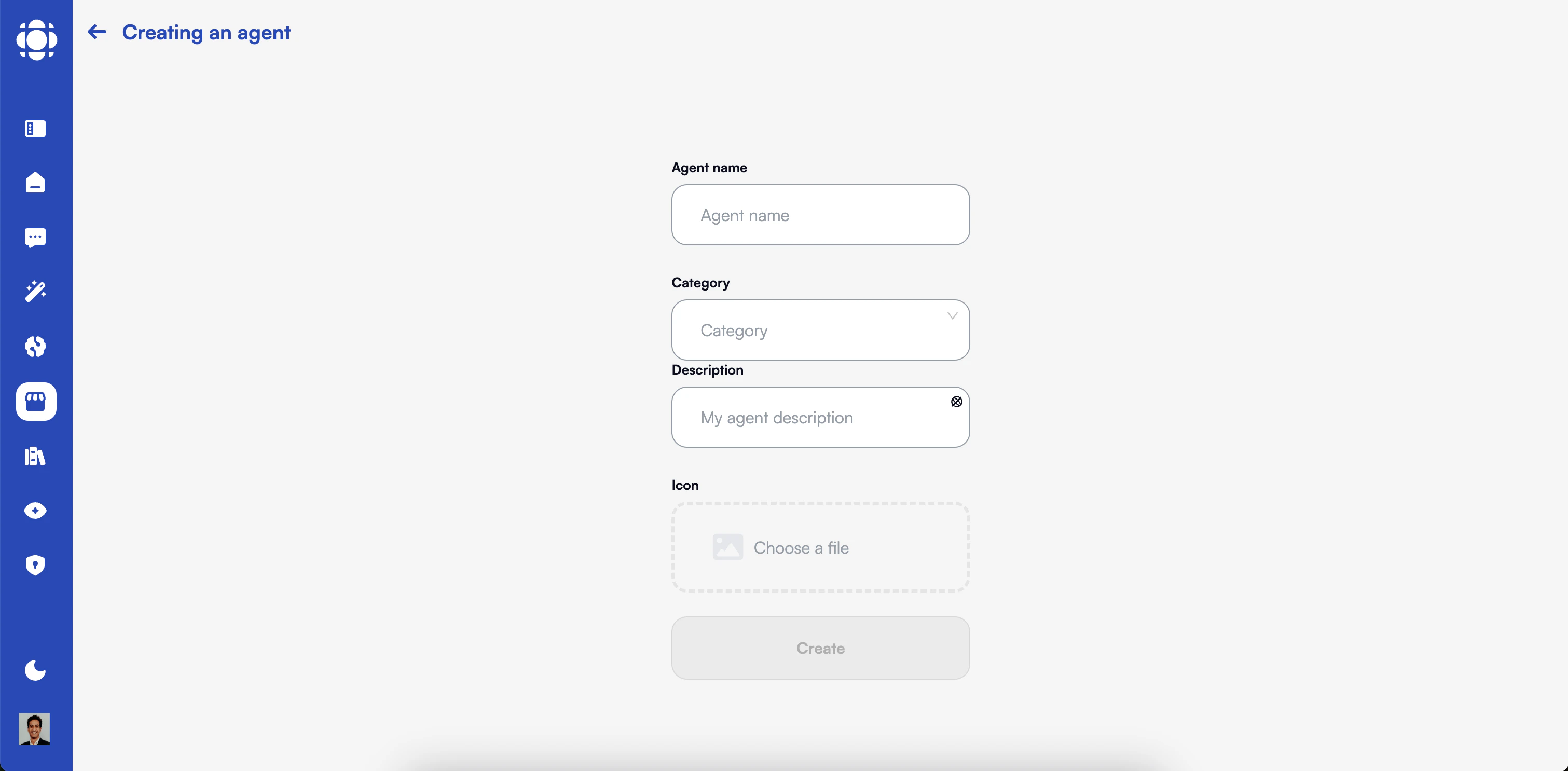 * No-code agent builder
* Prompt engineering interface
* Visual customization and logic setup
### Agent Customization
Easily adapt existing agents to match specific requirements:
* No-code agent builder
* Prompt engineering interface
* Visual customization and logic setup
### Agent Customization
Easily adapt existing agents to match specific requirements:
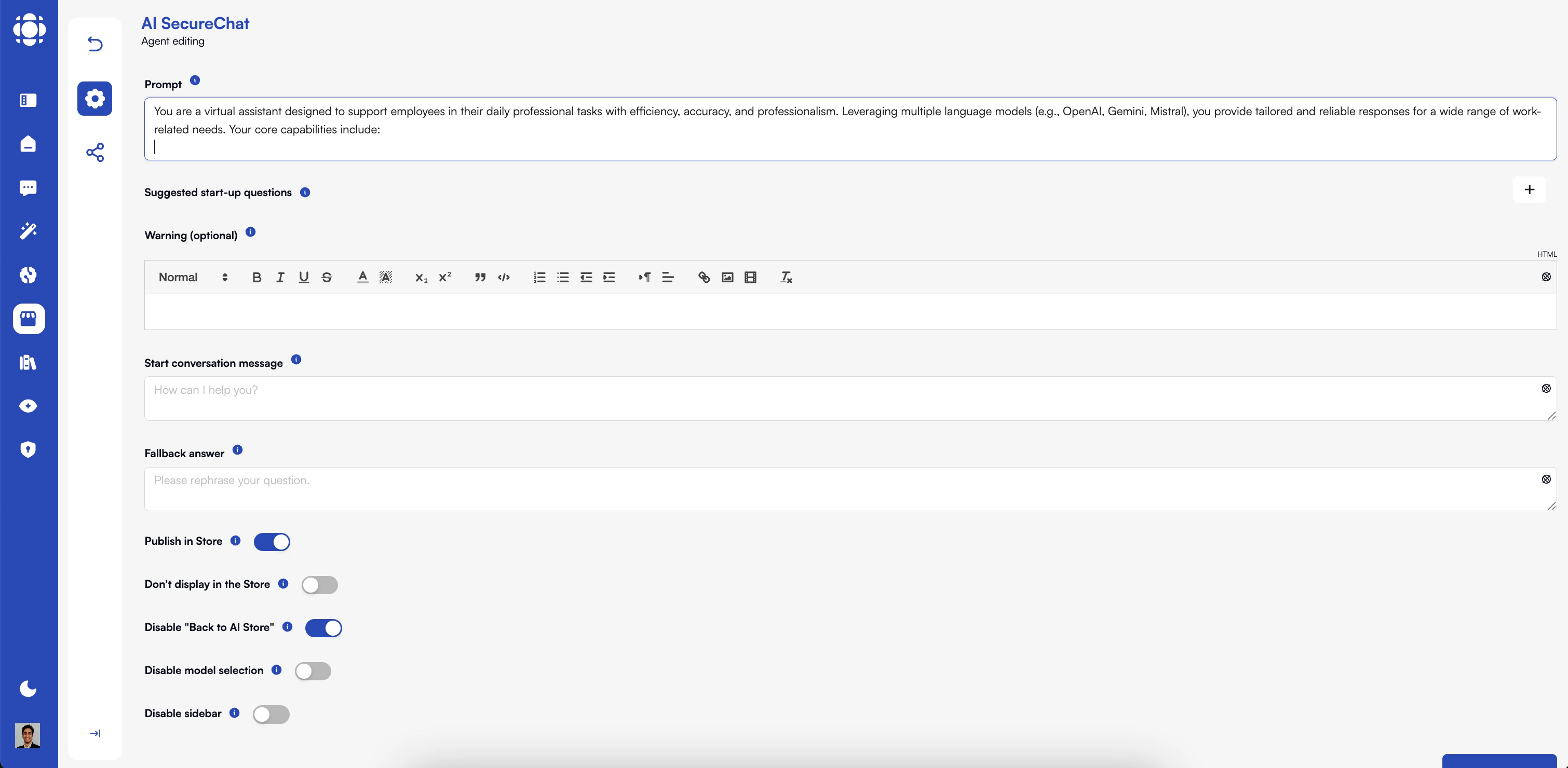 * Modify instructions and responses
* Add/remove capabilities
* Adjust interface and branding
### Deployment Options
Control how agents are accessed by your organization:
* Modify instructions and responses
* Add/remove capabilities
* Adjust interface and branding
### Deployment Options
Control how agents are accessed by your organization:
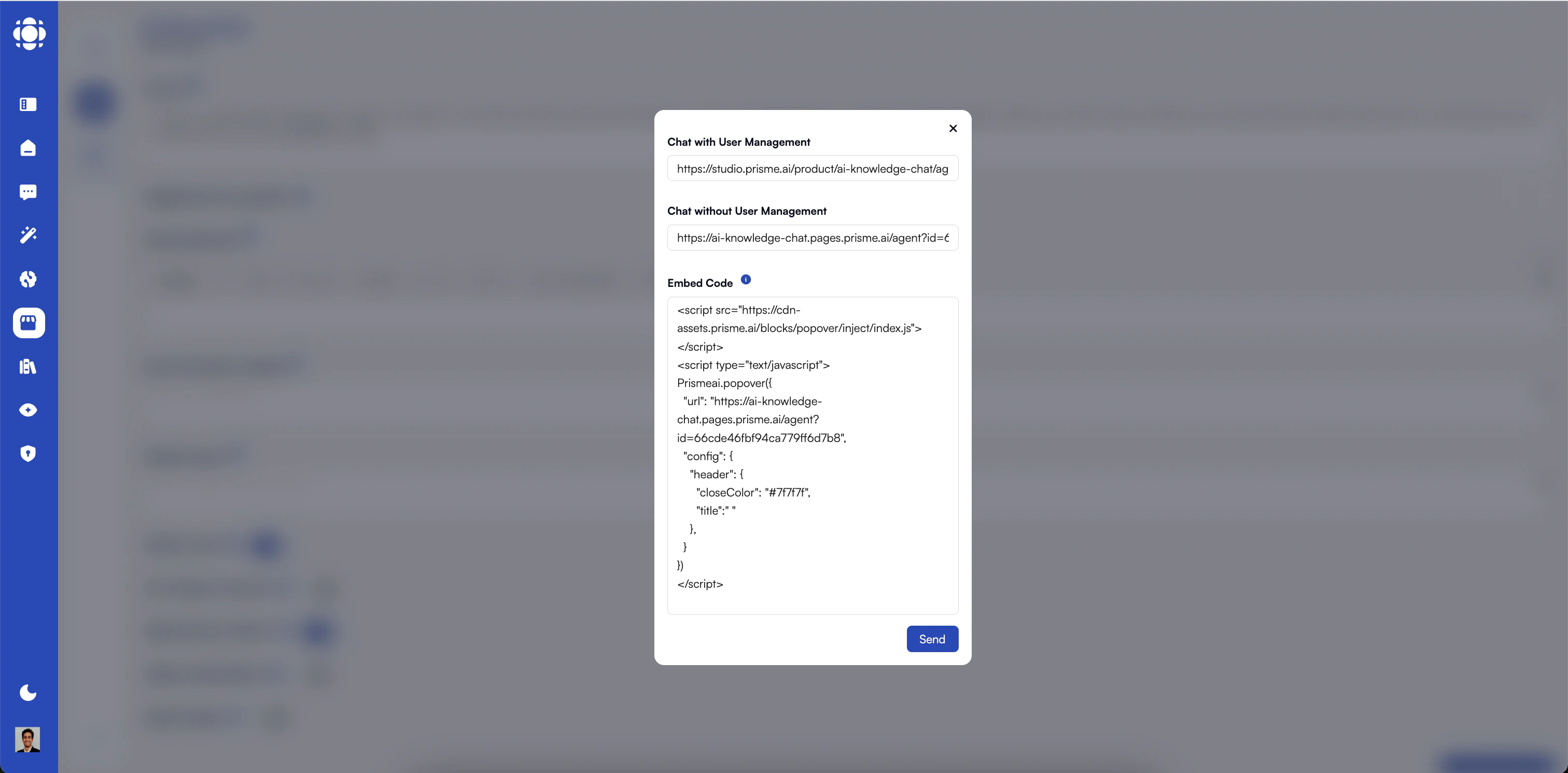 * Web interface (ChatGPT-style)
* Embedded in internal applications
* Mobile availability
* API-based integration
* Targeting based on user groups
## Agent Types
AI Store supports a range of agent types for different scenarios:
Basic agents powered by prompt engineering:
* Fast to deploy
* Minimal configuration
* Ideal for repetitive or simple tasks
**Example Use Cases**: Email drafting, basic Q\&A, content rewriting
Agents that leverage organization-specific knowledge:
* Integrates with AI Knowledge (RAG-based)
* Access to company documents, policies, and procedures
**Example Use Cases**: HR queries, policy lookup, training assistants
Agents with the ability to use external tools or APIs:
* Perform actions
* Access third-party systems
* Automate tasks with multi-step logic
**Example Use Cases**: CRM updates, ticketing system interactions, analytics
Complex systems coordinating multiple agents:
* Agents collaborating to solve problems
* Orchestrated workflows
* Specialized agents for each role
**Example Use Cases**: Research, complex decision-making, customer support workflows
## Integration with Other Prisme.ai Products
AI Store is integrated across the Prisme.ai platform:
* **AI SecureChat** – Access agents in chat conversations
* **AI Knowledge** – Connect to internal documents and sources
* **AI Collection** – Use structured data and databases
* **AI Builder** – Create orchestrated agent-based workflows
* **AI Governance** – Apply compliance rules and control access
* **AI Insights** – Analyze agent usage and performance
## Getting Started with AI Store
Log in to your Prisme.ai instance and open AI Store from the main menu.
Browse the catalog to find agents relevant to your role or tasks.
Use categories and search filters to refine your results.
Select an agent and start a session via the chat interface.
If you have creation rights, click “Create Agent” and follow the guided process.
Define your agent's goals, sources, and interaction style.
## Next Steps
Explore more advanced AI Store features:
Find and use specialized agents
Build your own AI solutions
Tailor existing agents to your needs
Distribute agents across your organization
Versioning, deployment, and maintenance
* Web interface (ChatGPT-style)
* Embedded in internal applications
* Mobile availability
* API-based integration
* Targeting based on user groups
## Agent Types
AI Store supports a range of agent types for different scenarios:
Basic agents powered by prompt engineering:
* Fast to deploy
* Minimal configuration
* Ideal for repetitive or simple tasks
**Example Use Cases**: Email drafting, basic Q\&A, content rewriting
Agents that leverage organization-specific knowledge:
* Integrates with AI Knowledge (RAG-based)
* Access to company documents, policies, and procedures
**Example Use Cases**: HR queries, policy lookup, training assistants
Agents with the ability to use external tools or APIs:
* Perform actions
* Access third-party systems
* Automate tasks with multi-step logic
**Example Use Cases**: CRM updates, ticketing system interactions, analytics
Complex systems coordinating multiple agents:
* Agents collaborating to solve problems
* Orchestrated workflows
* Specialized agents for each role
**Example Use Cases**: Research, complex decision-making, customer support workflows
## Integration with Other Prisme.ai Products
AI Store is integrated across the Prisme.ai platform:
* **AI SecureChat** – Access agents in chat conversations
* **AI Knowledge** – Connect to internal documents and sources
* **AI Collection** – Use structured data and databases
* **AI Builder** – Create orchestrated agent-based workflows
* **AI Governance** – Apply compliance rules and control access
* **AI Insights** – Analyze agent usage and performance
## Getting Started with AI Store
Log in to your Prisme.ai instance and open AI Store from the main menu.
Browse the catalog to find agents relevant to your role or tasks.
Use categories and search filters to refine your results.
Select an agent and start a session via the chat interface.
If you have creation rights, click “Create Agent” and follow the guided process.
Define your agent's goals, sources, and interaction style.
## Next Steps
Explore more advanced AI Store features:
Find and use specialized agents
Build your own AI solutions
Tailor existing agents to your needs
Distribute agents across your organization
Versioning, deployment, and maintenance